 Mac Application Launchers
Most Mac users feel that Application launcher is the most essential Application for them to install. Application launcher can save our valuable Dock spaces and assist us in boosting our productivity.
There are several application launchers available on the net. They have their own uniqueness, advantages and disadvantages. I am sure you will stick to one Application launcher, just like other power Mac users.
But for the very first time, you need to choose amongst many Application launchers, which one you love the most.
Spotlight

Built-in launcher and files finder shipped along with Mac OS X installation CD. It will help you save a lot of time while searching for files. By default, you can trigger spotlight with keystrokes Command-Space.
Quicksilver

Feature-rich Application for your Mac. It gives you the power of not just launching your Applications but also performing another actions to your Applications.
The only thing that frustrates me is that the development team seems to be ignoring the unstability issue on Leopard.
Butler

Besides being an Application launcher, Butler also helps you perform different recurring tasks easier. By assigning triggers to some potentially recurring tasks, you can quickly do the task with simple keystrokes.
Overflow
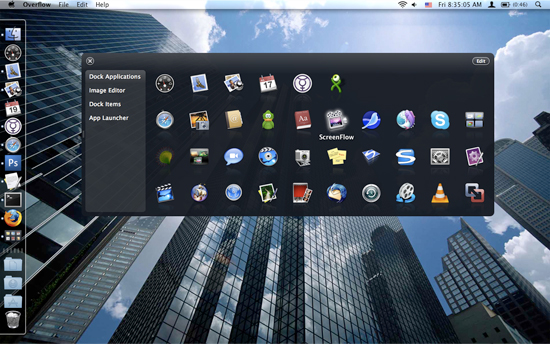
Overflow is an application designed to quickly launch applications, open documents, or access folders while reducing the number of items needed in your Dock.
Anything you want can be added to the Overflow interface, making it accessible through a few simple mouse clicks or keystrokes. The interface is resizable, and fully customizable.
Namely

Namely is possibly the fastest way to open applications. And unlike some other launchers, it doesn't require any learning.
Sapiens

Sapiens is an application launcher, it helps you access all the applications in your Mac. Sapiens is clever because it learns from you, so unlike any other launcher it predicts the applications you will likely need and offers a visualization of this prediction in an intuitive way.
TigerLaunch

TigerLaunch is an easy-to-use and easy-to-configure application launcher for OS X.
It displays an Apps menu at the top of your screen listing all your applications in alphabetical order—no matter what folder they appear in.
Valet

Valet records the applications that you use and provides quick and easy access to them. Valet is the nearly zero-configuration application and file launcher you have been waiting for.
Trampoline
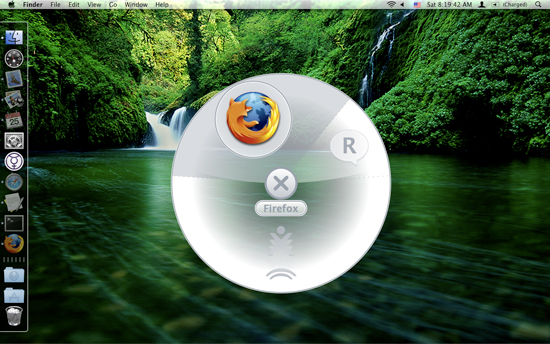
Mac Application launcher that will display you Applications that you use the constantly assuming that these Applications are what you're seeking for.
LaunchBar

Application launcher that can assist you in not only opening spesific application, but also selecting items and performing next action to the items.
LaunchBar will autohide itself while not in use, enabling you to focus on your tasks.
HimmelBar

Another application launcher for Mac. With HimmelBar, you can configure custom folders in which you want to have extra launch shortcut to.
DragThing

DragThing saves your Dock real estate by creating separate Dock-like pane, helping you with the categorization and organization on multiple Docks. Each of these Docks can be customized as needed.
However, in the case of holding many items (more than hundreds), DragThing will overflow out of our display and render us unable to access certain items.

 Search this site


Post a Comment